Alpha
Alpha
Product walkthrough · alpha 0.1.0-alpha.4

Schoolios

One calm place to run your school: admissions to report cards, fees to payroll, and every family kept informed.

Built for schools in IndiaStart free
Today

The school office runs on five tools and three spreadsheets

Scattered records

Admissions in one file, fees in another, marks on paper. Nobody has the whole picture.

Work that gets lost

A form half-filled, a receipt re-typed, a mark changed by two people. Time disappears.

Families left guessing

What is due? Was it received? Is there a notice? Parents call the office to find out.

The idea

One system, one record per child

Everything connects. An admission becomes a student, a student gets a fee plan, attendance and marks add up to a report card, and the family sees it all.
AdmissionsStudentsAttendanceTimetableExamsFeesTransportLibraryStaff & payrollMessages
A look inside

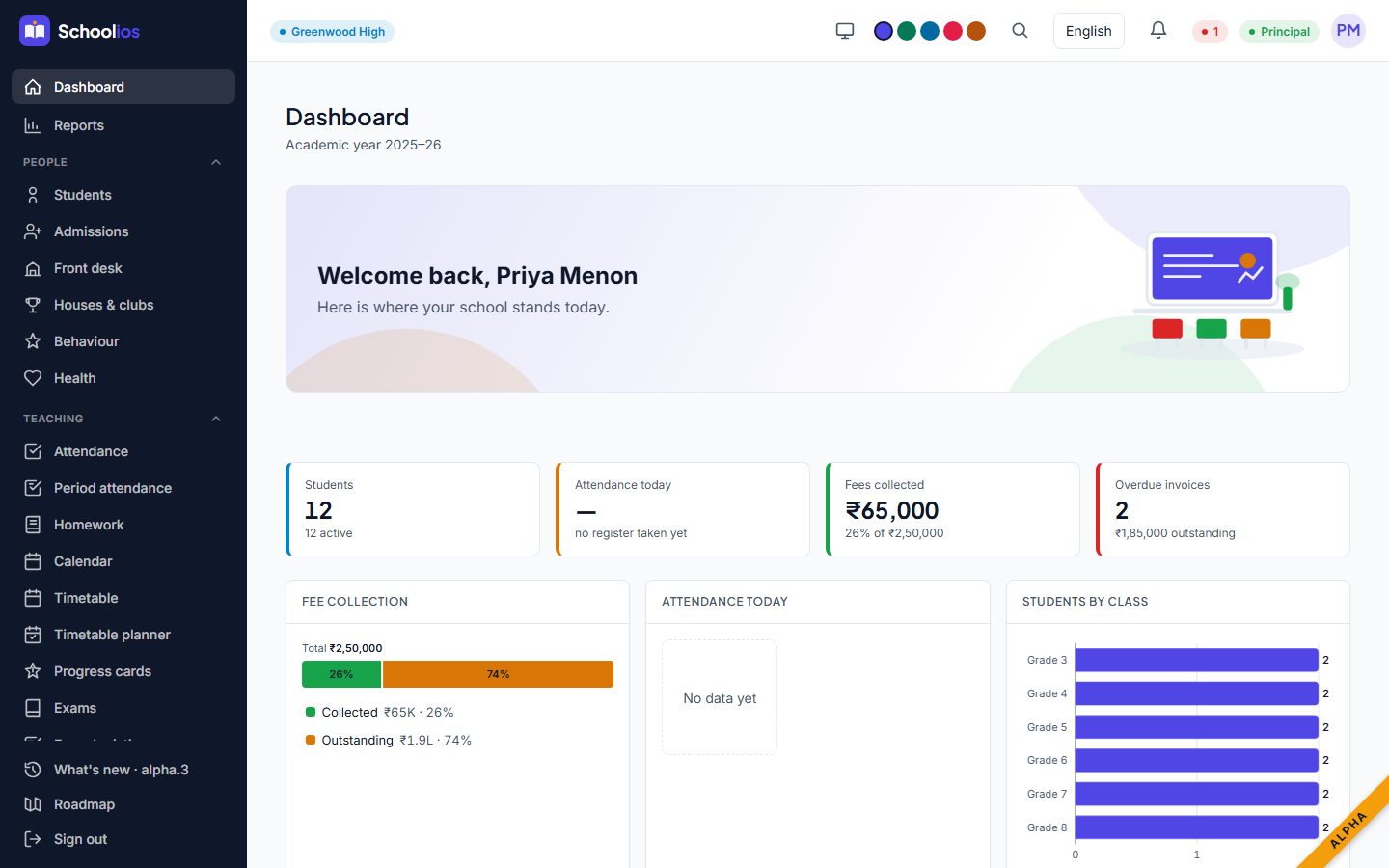
Your day at a glance

The principal dashboard
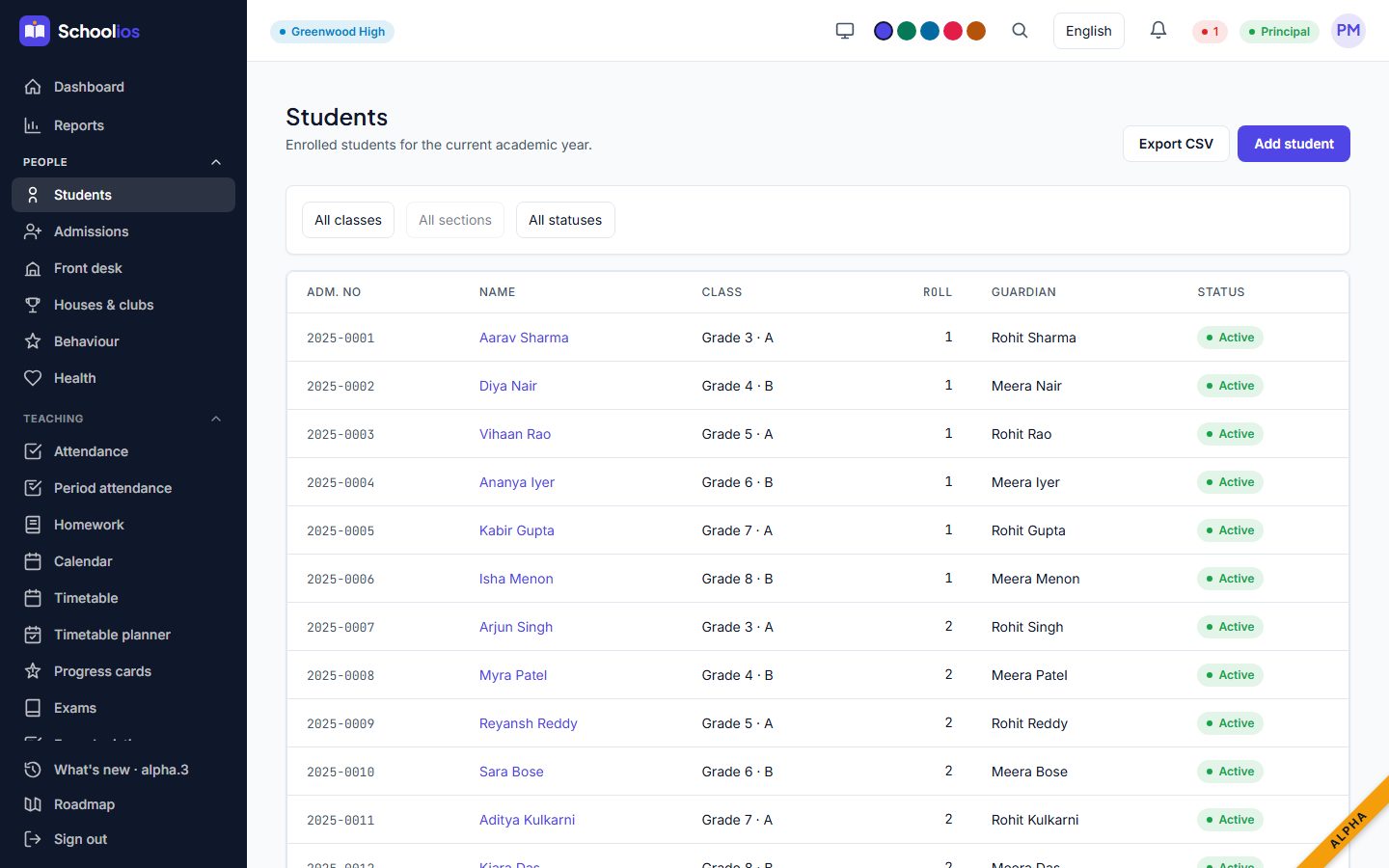
The student list
Admissions

From first enquiry to first day

Online application

  • Parents apply from a link, no login
  • Progress saved as they type
  • Documents attached

Office review

  • Every application in one queue
  • Decisions recorded with a reason
  • Duplicates flagged

Becomes a student

  • One click to enrol
  • Guardians and documents carried over
  • Fee plan applied
Teaching

Attendance, timetable and exams that agree with each other

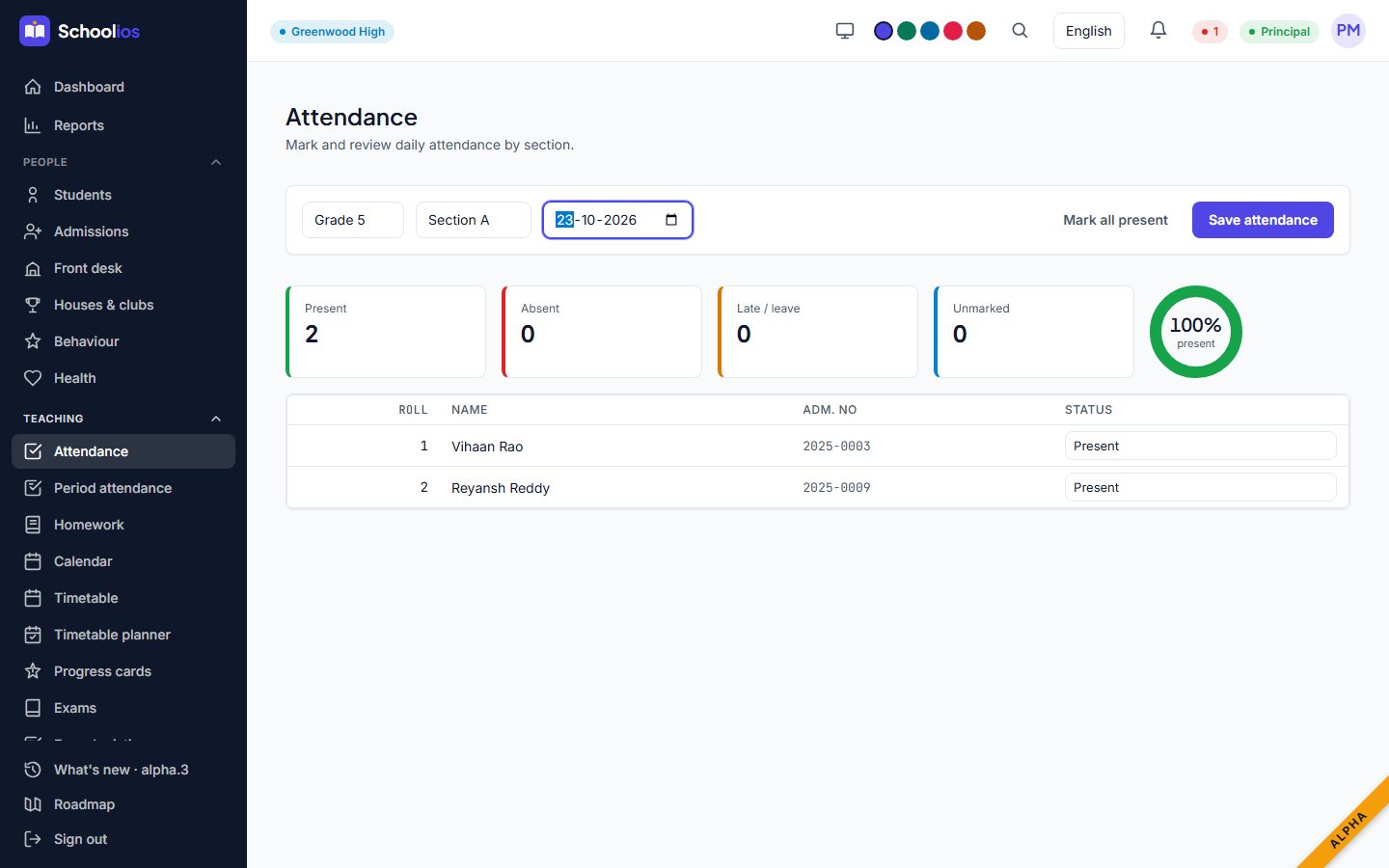
Attendance

Morning and period registers. Parents are told the same day. Corrections need a reason.

Timetable planner

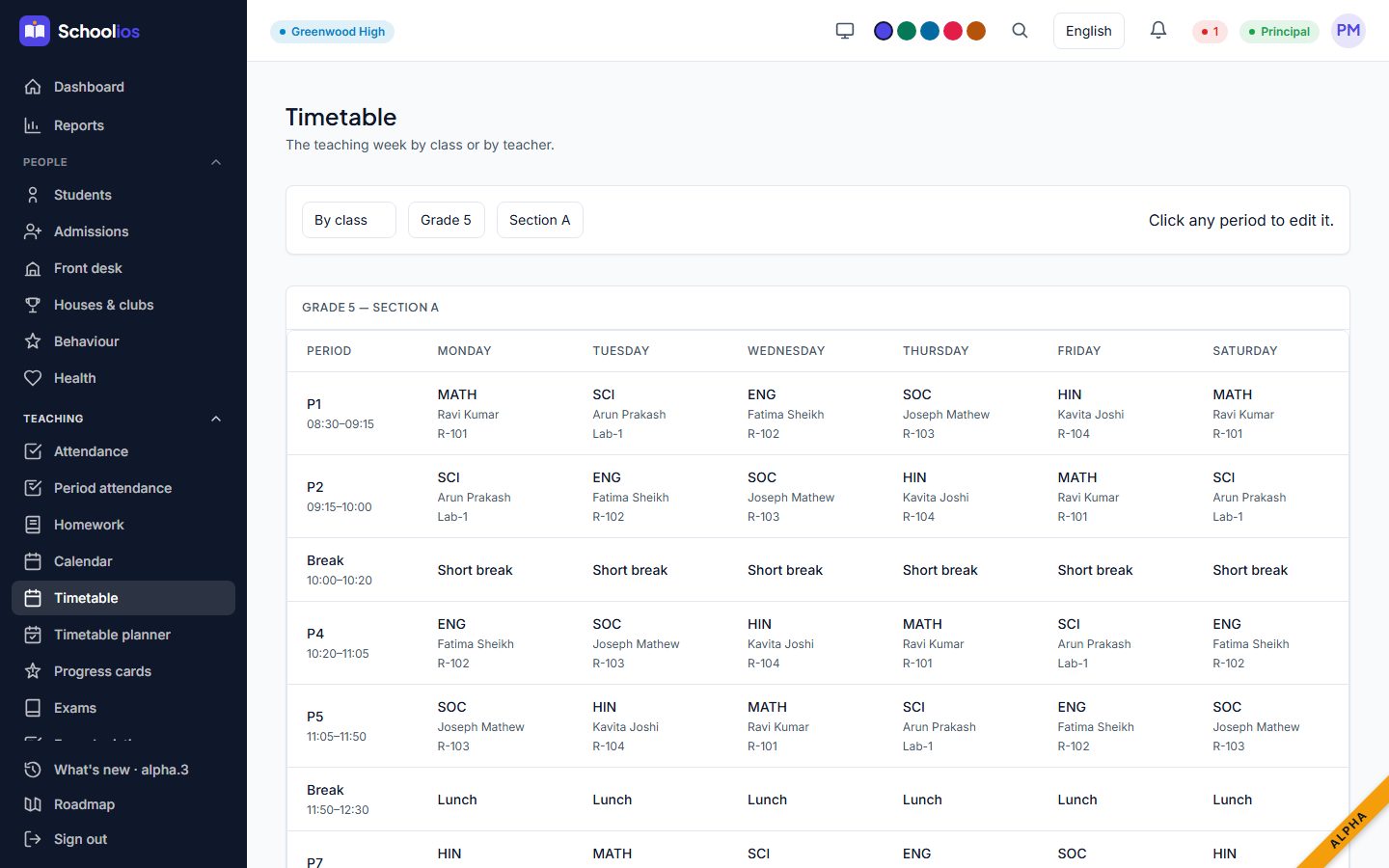
Builds a clash-free week from your teachers and subjects. Adjust any period by hand.

Exams and report cards

Marks entry with a safe check if two teachers edit the same mark. Grades, remarks and PDF report cards.

Progress cards (NEP)

Holistic progress cards with competencies, not just marks.
Teaching, on screen

A register and a timetable

A class register
A class timetable
Money

Fees that add up, and parents who can see why

Set up once

  • Fee heads and structures
  • Concessions and sibling discounts
  • Late fees and payment plans

Collect easily

  • Counter payments and receipts
  • Online fee payments (UPI)
  • Cheque bounces and refunds handled

Always reconciled

  • Day book and reconciliation
  • Accounts and vouchers
  • Reports for the board
Money, on screen

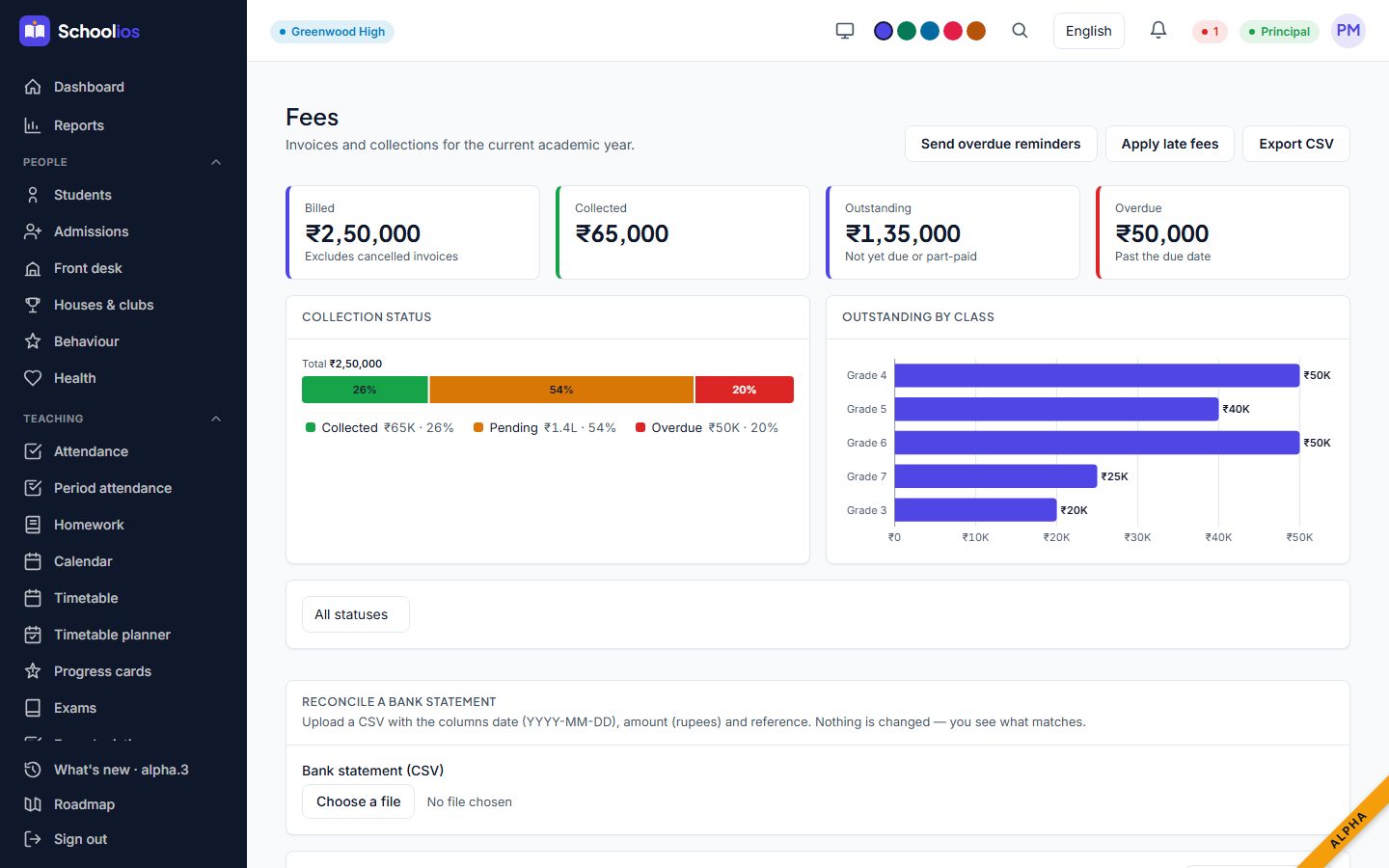
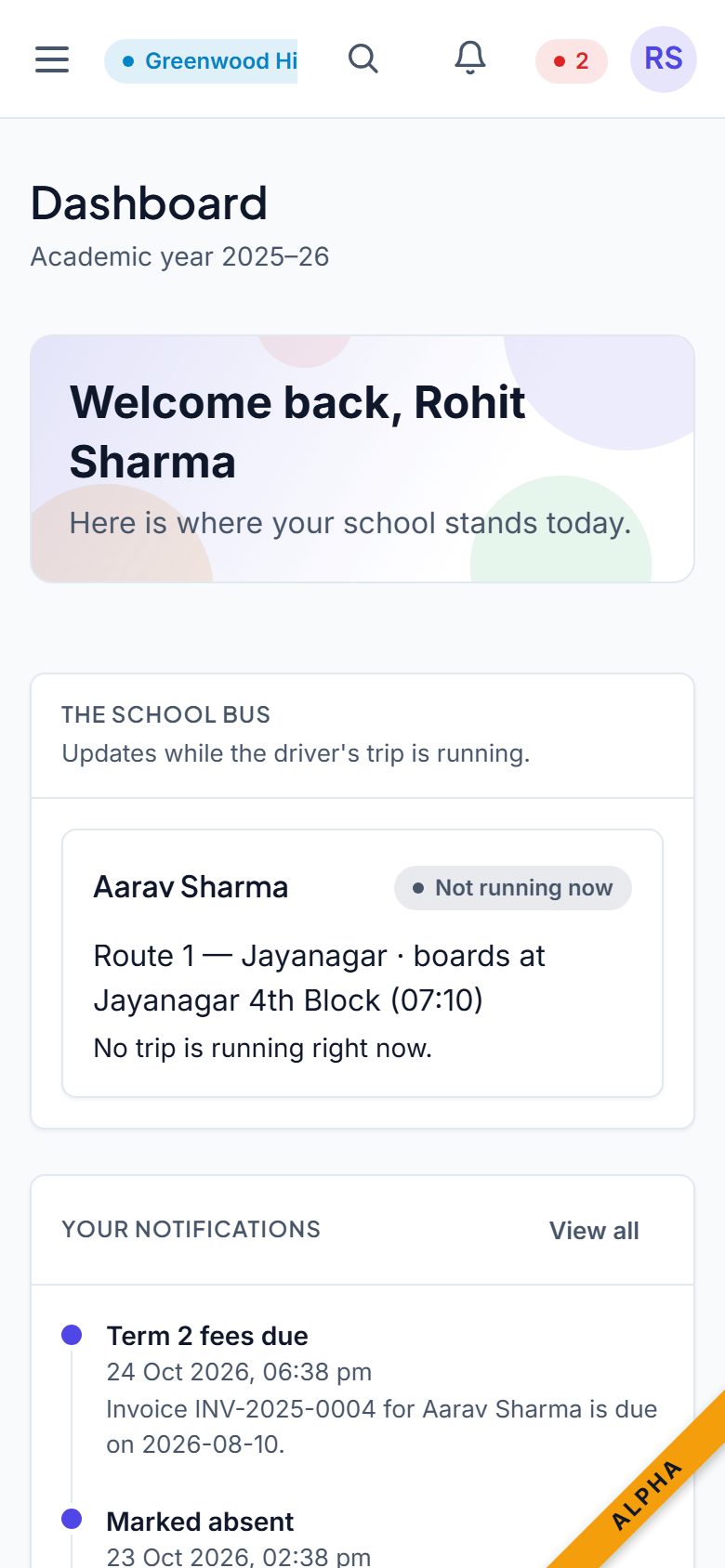
Fees for the office, a phone for the family

Fee invoices
A family dashboard on a phone
Campus

Transport, library, stores, health and behaviour

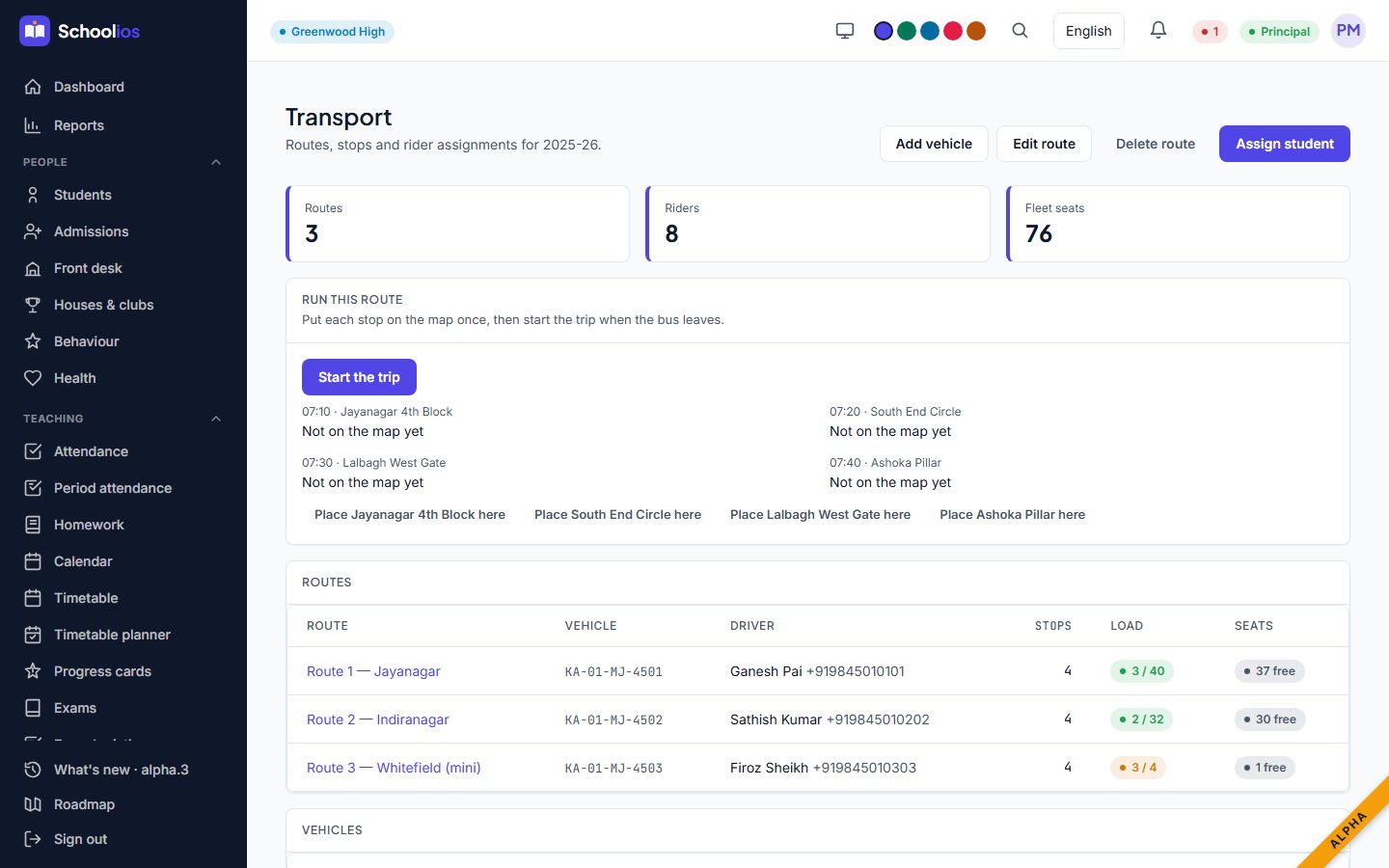
Transport

Routes, stops and who rides which bus.

Library

Catalogue, issue and return, lost copies and fines.

Stores & assets

What the school owns, who has it, what needs replacing.

Health

Infirmary visits and health records, visible only to those who should see them.

Behaviour

A fair, recorded history for incidents and recognition.

Houses & clubs

Points, clubs, sports and achievements.
Campus, on screen

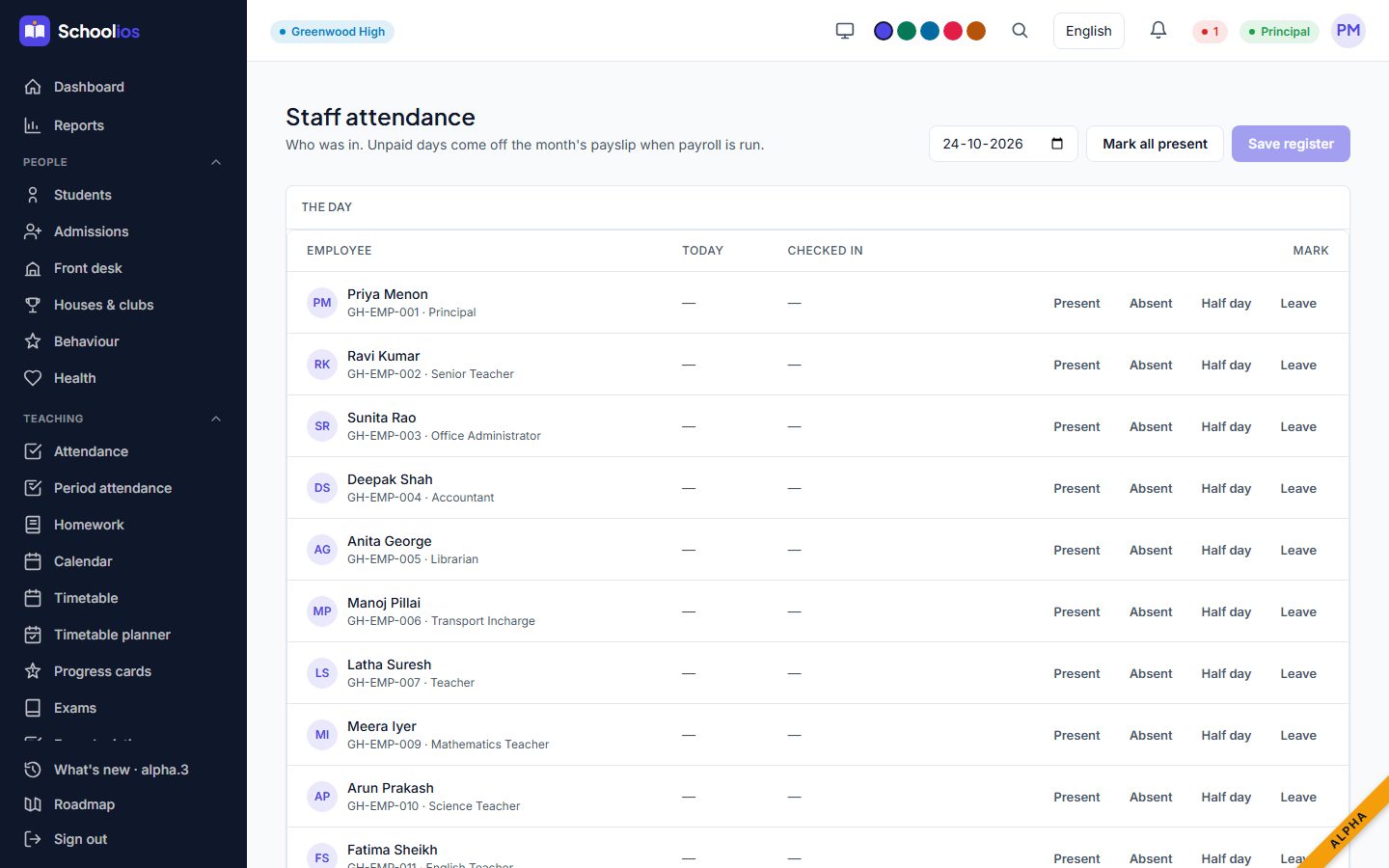
Buses you can follow, staff who check in

A bus route and trip controls
The staff register
Staff

Payroll without the month-end scramble

Pay bands

Set a band once, apply it to everyone on it.

Payslips

Run the month, check it, publish. Corrections keep a revision trail.

Statutory figures

PF, ESI and tax totals for the month, ready for the return.

Made for India

The paperwork is part of the product

UDISE+ and APAAR

The fields the returns ask for live on the student record, with an annual promotion run.

Privacy and consent

Consent for photos and sharing. Aadhaar is masked, and revealing it needs a reason that is recorded.

Fee rules

Versioned, approval-stamped fee heads, so a disclosure is one export.

Languages

Messages in English, Hindi and Kannada, each family in their own.

Designed for busy people

You never lose your work

Every form and every open panel is saved as you type and has its own link. Refresh the page, lose the connection or close the tab, and you come back exactly where you were.

Safe by default

Drafts are kept for a week on your own device. Passwords and ID numbers are never stored.

Shareable

Send a colleague the link to the exact panel you have open.

Calm

No "are you sure you want to leave" panic.

Roles

Everyone sees what their job needs

Principal

Everything, with reports and approvals.

Teacher

Their classes: attendance, marks, homework. No fees, no pay.

Accounts

Fees, payroll and books. Not student health.

Office

Admissions, records and the front desk.

Parent

Their own children only: attendance, marks, fees, notices.

Custom roles

Build roles to match how your school is organised.

Groups

One school or a whole group

Branches sit under one organisation with their own staff, fees and records. A group view lets leadership compare them. A person who works across branches signs in once.

Pricing

Flat monthly prices. No per-student fees.

Seed

Everything a small school needs to start: students, attendance, timetable, notices.

Free
Free forever for a small school
  • Students, attendance and timetable
  • Notices and notifications
  • Documents and certificates
  • Up to 75 students · 10 staff
Most schools start here

Sprout

Admissions, exams, fee collection and reports.

₹499 /month
Billed monthly
  • Everything in Seed
  • Admissions, exams and report cards
  • Fee collection, receipts and reports
  • Up to 300 students · 30 staff

Bloom

The whole campus: transport, library, payroll, online payments and bulk import.

₹1,199 /month
Billed monthly
  • Everything in Sprout
  • Transport, library, health, stores
  • Staff, payroll and payslips
  • Up to 800 students · 80 staff

Canopy

For groups and large schools: audit trail, single sign-on, API, many campuses.

₹2,499 /month
Billed monthly
  • Everything in Bloom
  • Audit trail and custom roles
  • Accounts, single sign-on and API
  • Up to 3,000 students · 250 staff

Before GST. Yearly billing is ten months' price. Message allowances are monthly.

Onboarding a school

The first week, step by step

Day 1 · We set up

  • Your school is created and the principal invited
  • Logo, academic year, classes, sections and subjects (a guided checklist)
  • Staff invited by email, each with a role

Days 2-3 · You bring your data

  • Download the student and staff templates, or use your own Excel sheet
  • Preview shows every problem before anything is saved
  • Fix the rows that need it, import the rest

Days 4-5 · You set the rules

  • Fee heads and structures, concessions, late fees
  • Holidays and the school calendar
  • Timetable by hand or with the planner, and the grade scale

Everything on this slide you can do yourself; we sit alongside for the first load.

Onboarding a school

Bringing your data in

What imports today

  • Students with their guardians
  • Staff, with department and pay band
  • From Excel (.xlsx) or CSV, up to 2,000 rows at a time
  • A preview that names every problem and the row it is on, and a downloadable report

What we help with

  • Fee dues carried over from last year
  • Marks and attendance history, if you want it on file
  • The library catalogue and the store list
  • Registers that exist only on paper or as PDFs: typed in with you, or sent to us
Onboarding a school

Going live, without a cliff

Week 1 · Set up

Structure, staff, students and fee structures in place.

Week 2 · Train

Short sessions by role: office, teachers, accounts. Teachers only need attendance and marks.

Weeks 3-4 · Run beside

Keep the old process for one cycle of attendance and one fee run, and compare.

Then · Switch

Families are invited, the old sheets are put away, and we stay close for the first month.

Best started at the end of a term or a fee cycle. A typical path; we fit it to your calendar.

Where we are

Alpha, honestly

Works today

  • Students, attendance, exams, fees, staff and payroll
  • Class-targeted notices, staff check-in, bus tracking
  • Hindi and Kannada messages, plan-based pricing

Being built now

  • Real messages
  • Always-on hosting and backups
  • First pilot school

Coming next

  • Your own domain
  • Android app
  • More imports
  • Switching from another system
  • Load testing
  • Biometric and bus GPS devices
  • More languages

Version 0.1.0-alpha.4. Early schools shape the order. The full list is on the Roadmap page.

Next steps

Let's try it with your school's questions

This week

A hands-on demo with your own class list and fee structure.

Next

A free Seed account to explore, with no commitment.

Then

Pick the plan that fits and plan your go-live.

care@schoolios.in

1 / 22